Reactor Tools
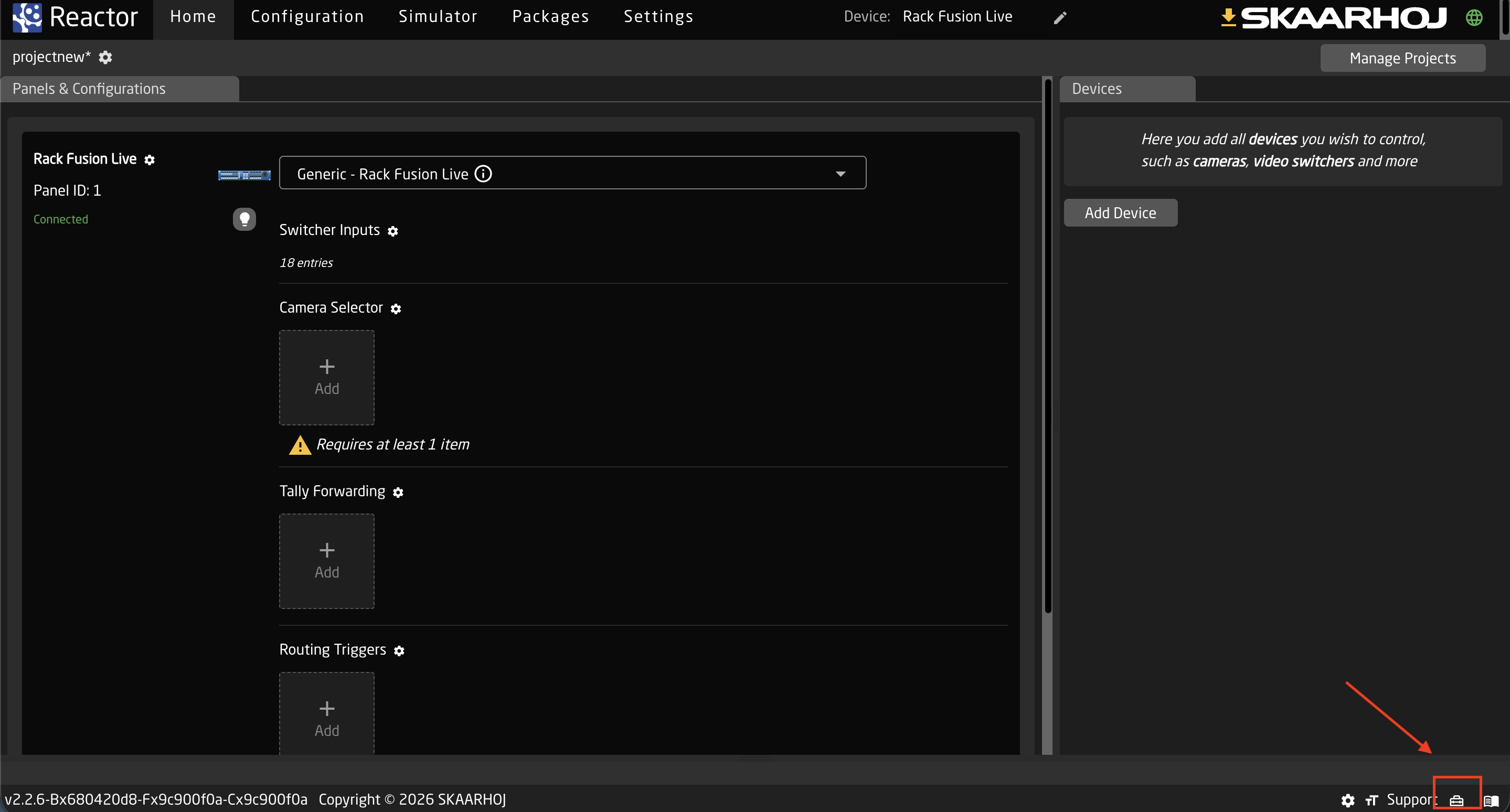
To open the Reactor tools, click the toolbox icon in the bottom right corner of the screen.
IP Scanner
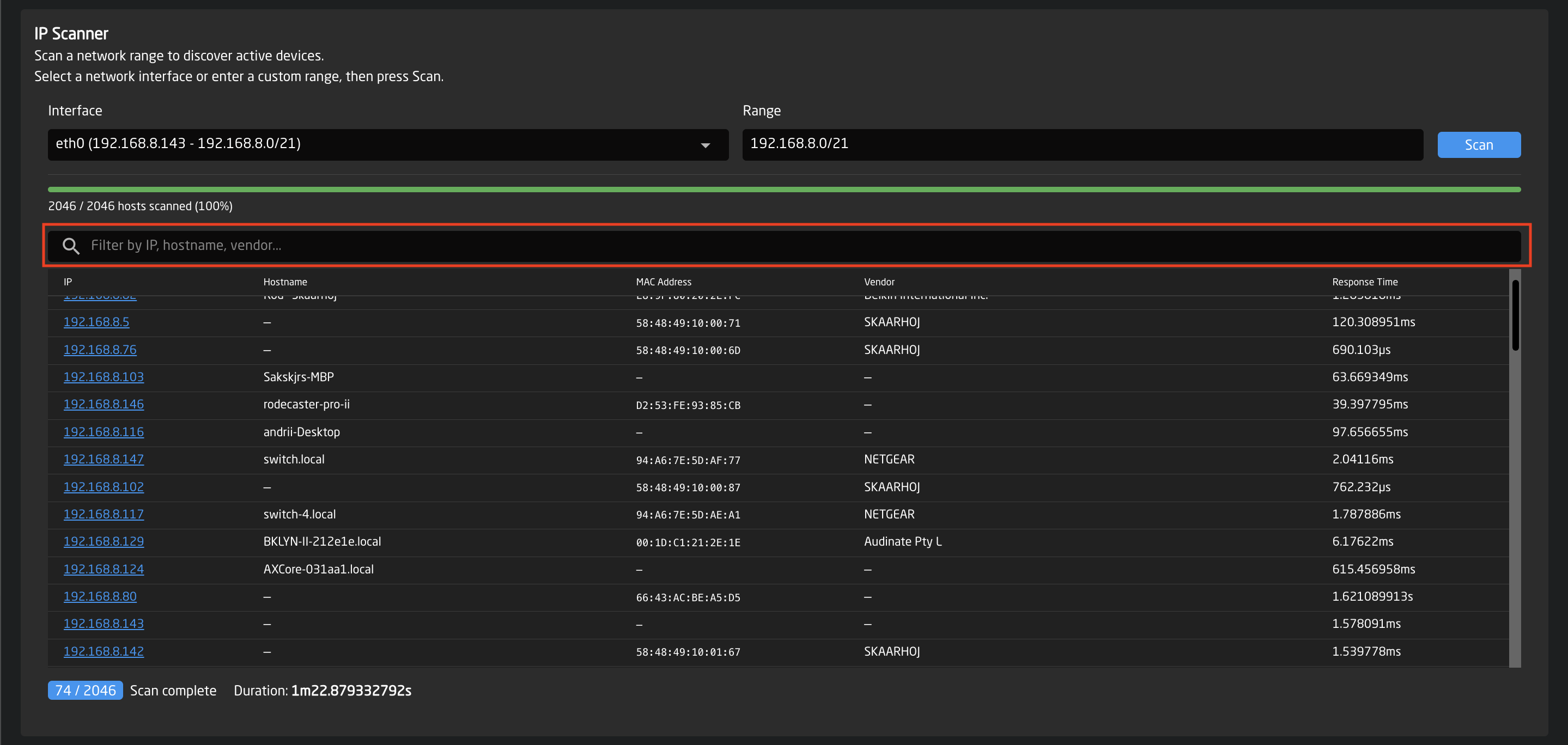
The IP Scanner allows you to scan a network range to discover active devices connected to the network.
It is useful for identifying devices, checking connectivity, and finding equipment by IP address, hostname, or vendor.
The scanner works by sending requests to each IP address in the selected range and listing all devices that respond.

How to use it
-
Select the network interface (Ethernet, WiFi, or USB).
This determines which network connection will be used for the scan. -
Check the network range, automatically filled based on the selected interface.
The range uses CIDR notation to define which IP addresses will be scanned. Adjust the range if you want to scan a smaller portion of the network. -
Click Scan to start scanning.
- Use Stop to cancel the scan anytime.*
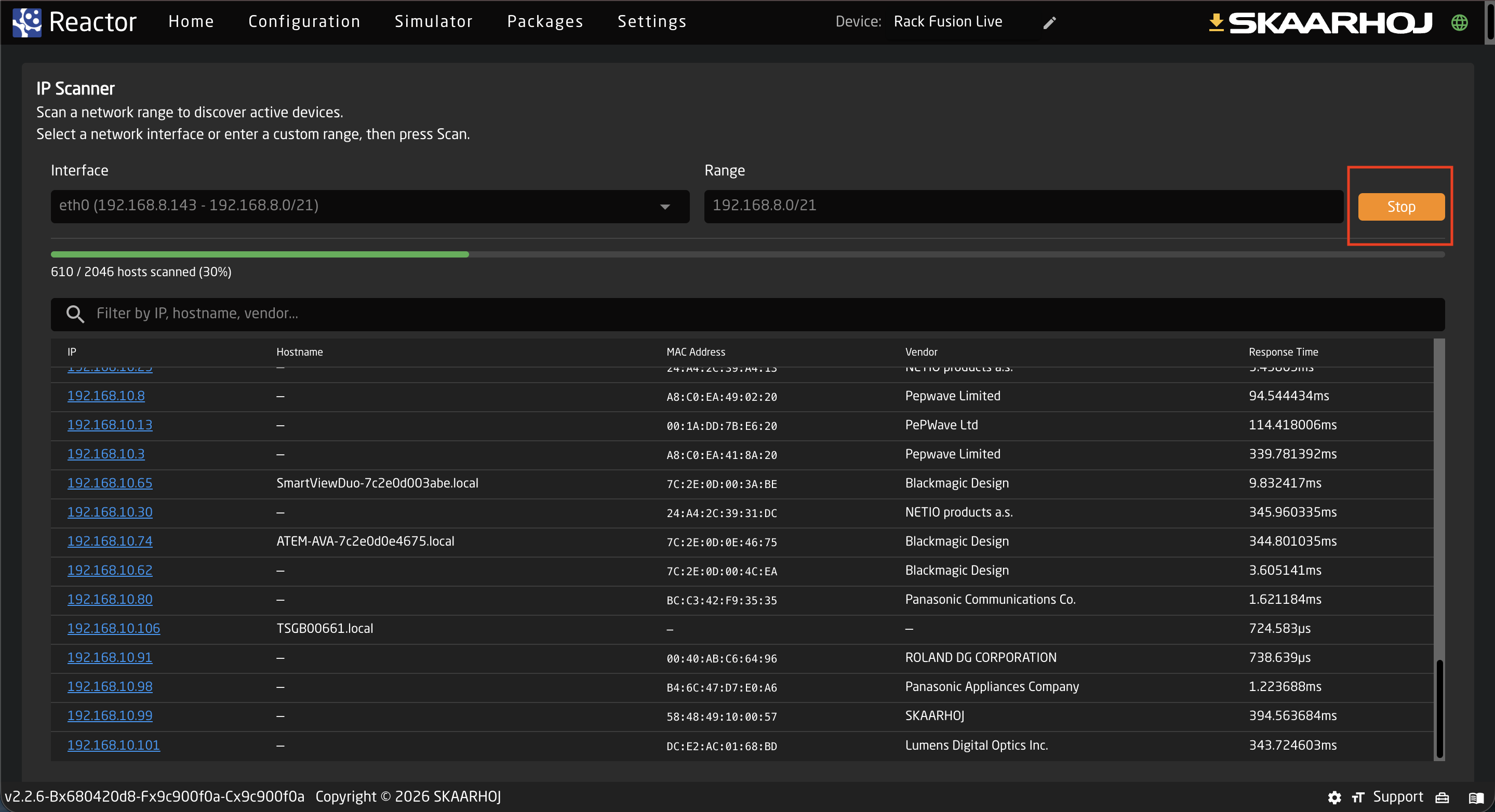
- View discovered devices in the results table.
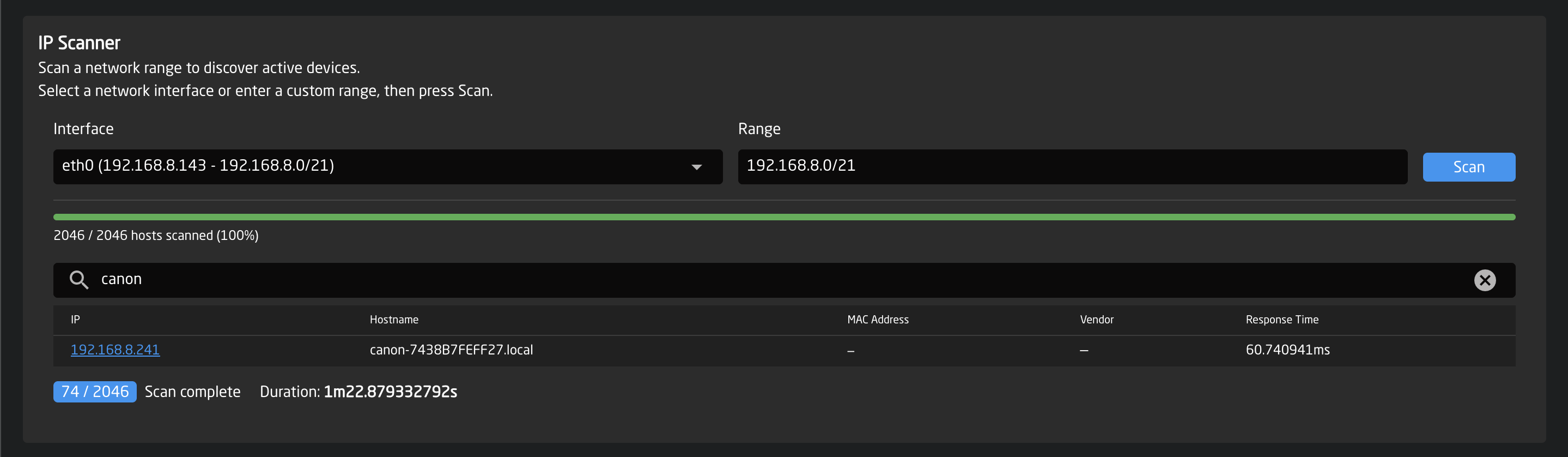
You can filter devices by IP, hostname, or vendor using the search field.