Distributed Architecture
Blue Pill products are designed with a three part architecture, hardware panels, the Reactor engine, and device cores. While these components typically run together on a single Blue Pill device, they can also be distributed across multiple devices on a network.
The Three Pillars
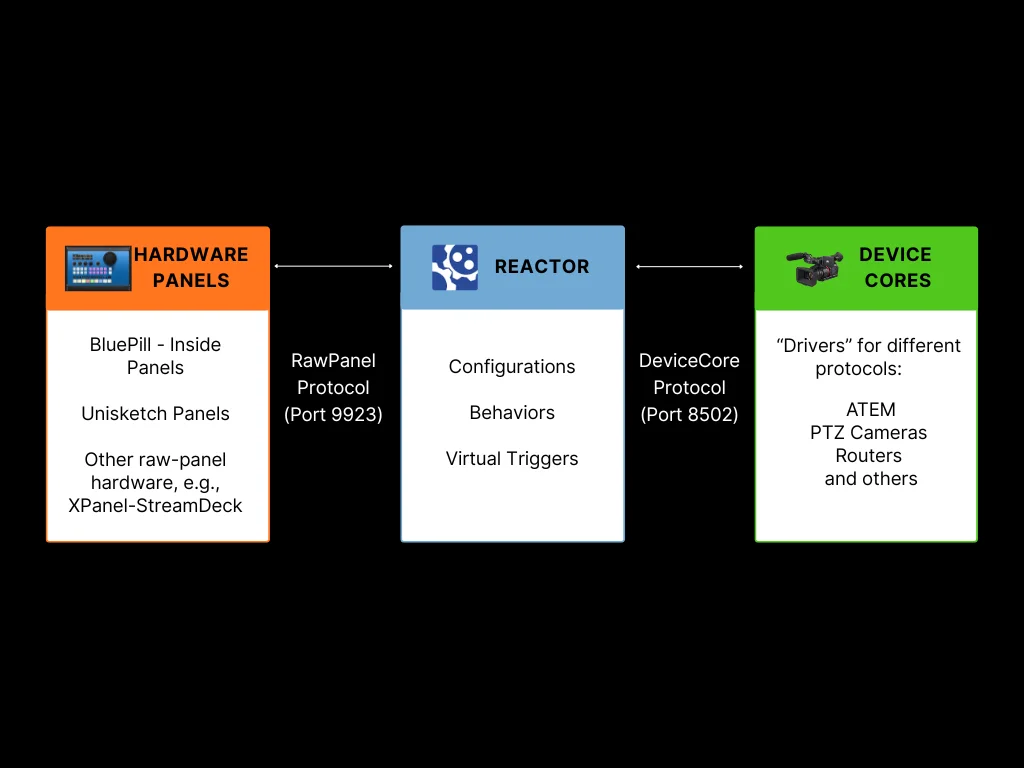
Hardware Panels
The physical SKAARHOJ panels with their buttons, displays, encoders, and faders. These communicate using the RawPanel protocol over TCP (default port 9923). On a Blue-Pill-Inside product you will typically find the "hardware-manager" application, that is responsible for this. On older "Unisketch" Products there are "BluePill Mode" configurations available on cores.skaarhoj.com
Reactor
The central brain that processes configurations, manages layers and behaviors, and routes actions between panels and devices. This is where your configurations live and execute.
Device Cores
The "Driver" applications, that communicate with external equipment (video switchers, cameras, routers, etc.). Each device core speaks the native protocol of its target device and exposes a standardized interface to Reactor. Several "generic protocol" device cores alro exist (http, osc, ...)
Why Distribute Components?
In most setups, all three components run on the same Blue-Pill-Inside device. However, there are scenarios where distributing them across multiple devices provides advantages:
Remote Panels
Connect panels from one Blue Pill to Reactor running on another device:
- Multi-panel setups: Use one Blue Pill as the central controller for multiple panels across different locations
- Centralized management: Manage all panel configurations from a single Reactor instance
- Third-party integration: Allow non-SKAARHOJ hardware to control Reactor
- Backward Compatibility: Enable Unisketch Panels and LinkIO devices to connect to the BluePill ecosystem
See Remote Panels (RawPanel Mode) for configuration details.
Shared Device Cores
Access device cores running on a remote Blue Pill Server or Blue-Pill-Inside Device:
- Hardware connectivity: Some device cores require direct USB or serial connections to equipment
- Geographic latency: Place device cores close to the equipment they control to minimize protocol latency
- Load Balancing Across Controllers: Spread processing load across multiple devices, when controlling 20+ devices, spread them across multiple Blue Pills
See Shared Device Cores for configuration details.
Network Considerations
When distributing components:
- All devices must be on the same network or have routed connectivity
- Default ports: 9923 for RawPanel, 8502 for DeviceCore sharing
- Consider network latency when placing components - device cores should be close to the equipment they control
Typical Scenarios
Scenario 1: Multi-Room Control
A central control room manages panels in multiple studios. One Blue Pill Server runs Reactor and device cores with all configurations, while panels in each studio connect over the network.
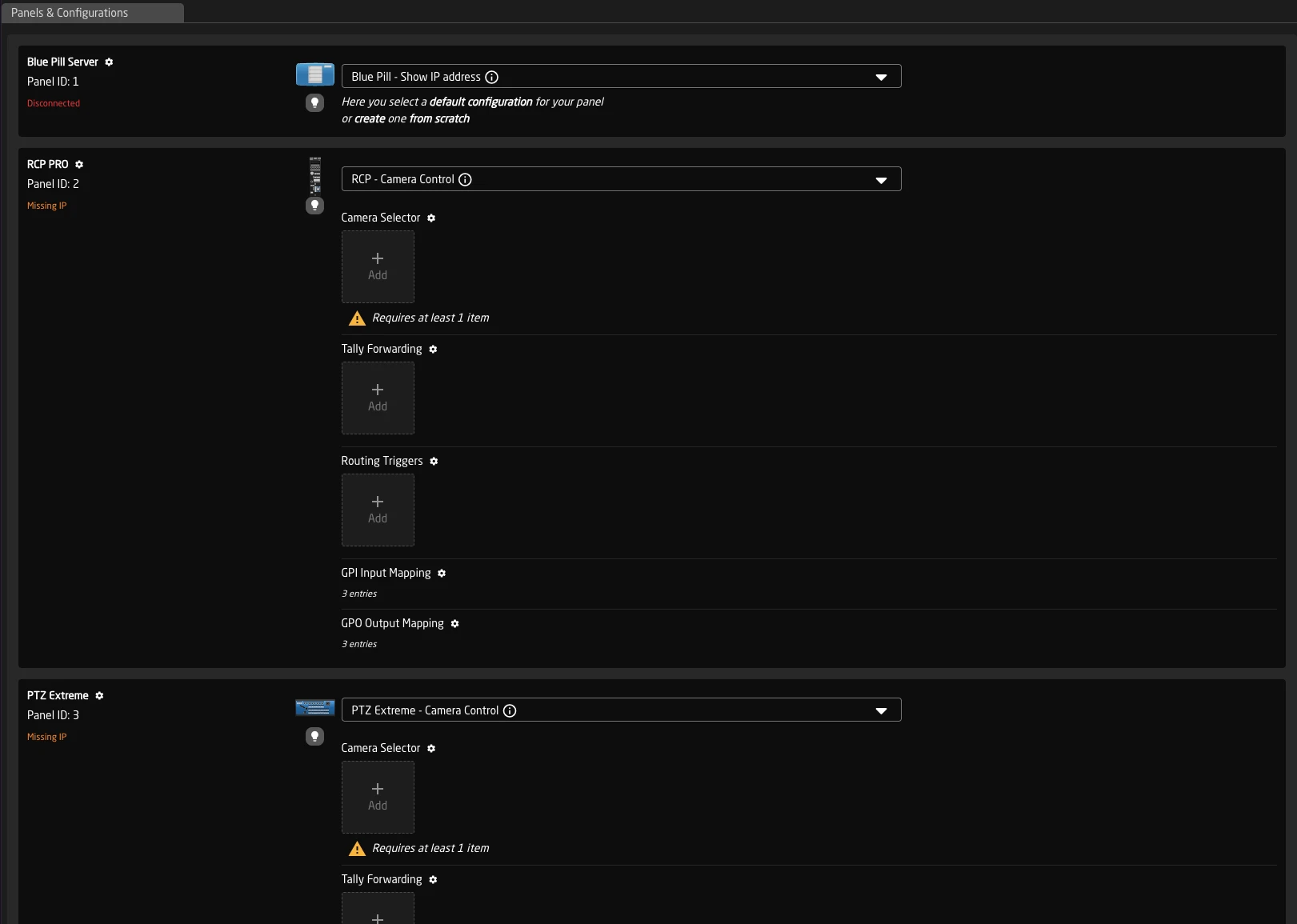
Scenario 2: Remote Production
An ATEM switcher is located at a remote venue. A local Blue Pill runs the ATEM device core with minimal latency, while the main Reactor instance at headquarters connects to it over the network. The device core protocol (based on GRPC) is more resilient to latency than some device specific protocols.
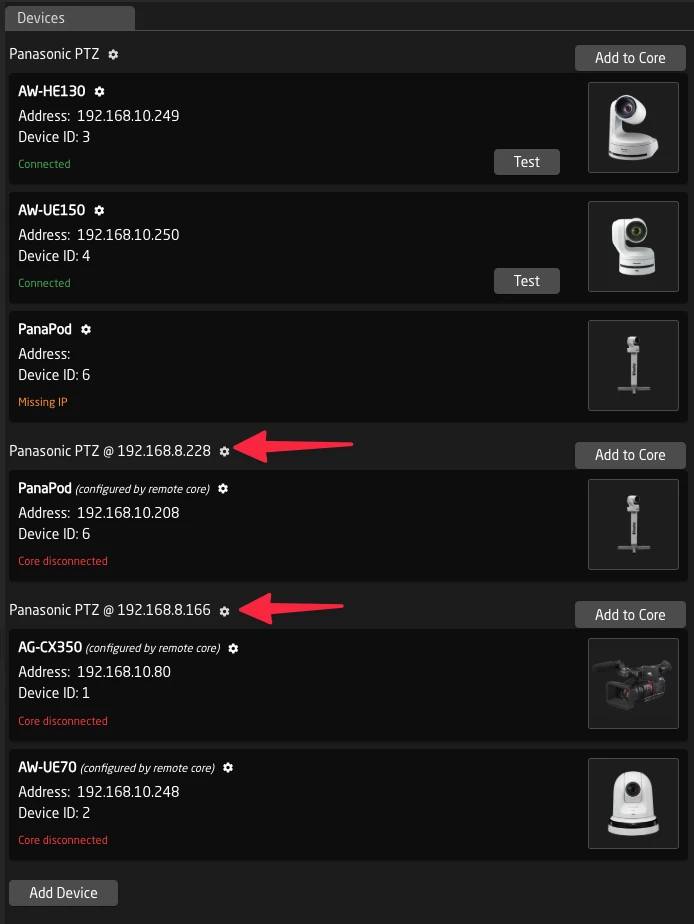
Scenario 3: Camera Control with Serial Connection
Camera control requires a direct serial/USB connection (e). A small Blue Pill near the cameras runs the camera device core, shared with the main Reactor instance elsewhere in the facility.
Devices that sometimes Benefit from this scenario are for example:
- Dreamchip / Proton Cameras
- Sony Mirrorless Cameras
- Serial VISCA Cameras
Scenario 4: Load Balanced Multi-Controller Setup
A large production facility has 20 devices to control and three operator positions, each with its own Blue Pill controller. Instead of having each controller run all device cores locally, the device cores are distributed:
- Controller A runs device cores for devices 1-7
- Controller B runs device cores for devices 8-14
- Controller C runs device cores for devices 15-20
Each controller's Reactor instance connects to the shared device cores on the other controllers as needed. This distributes the protocol processing load while allowing any operator to control any device.